
In early 2025 I started a project on building a graphical user interface (GUI) for x-ray scattering and diffraction. This is to calculate the momentum transfer given a set of angles and geometry. This is necessary because many of the times during the experiment/beamtime, what we want to probe is the momentum transferred (HKL in r.l.u.), but what we actually control is the four-angles configuration of the machine (theta, chi, phi, and scattering angle tth). There is a clear discrepancy in what we want to do (momentum) and what we actually see (HKL). Even though there is a python script/code doing the conversion in some beamline, it is not visually straightforward and not easy-to-use.
This is the reason why I developed a python-based user interface doing this job. It will greatly accelerate the speed in converting momentum to angle configuration and vice versa. This is helpful because it reduces the burden in dealing with codes and scripts and saves it for more intellectual activities such as decision making.
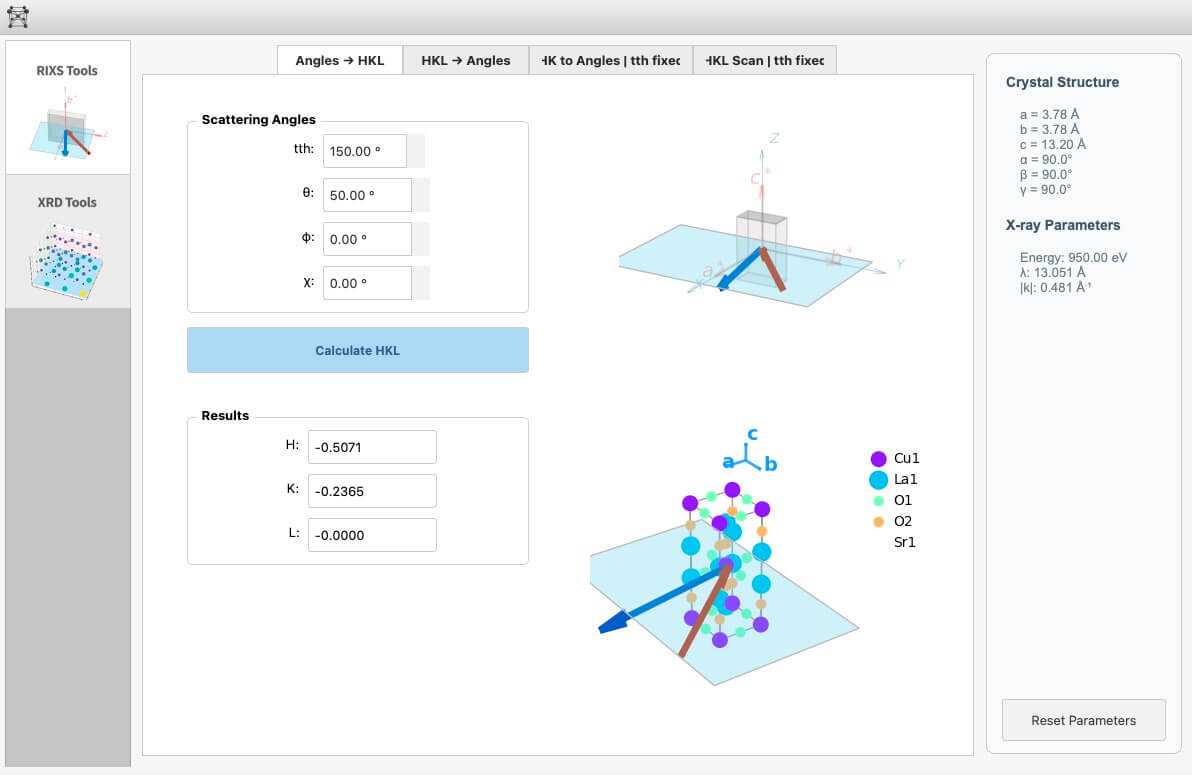
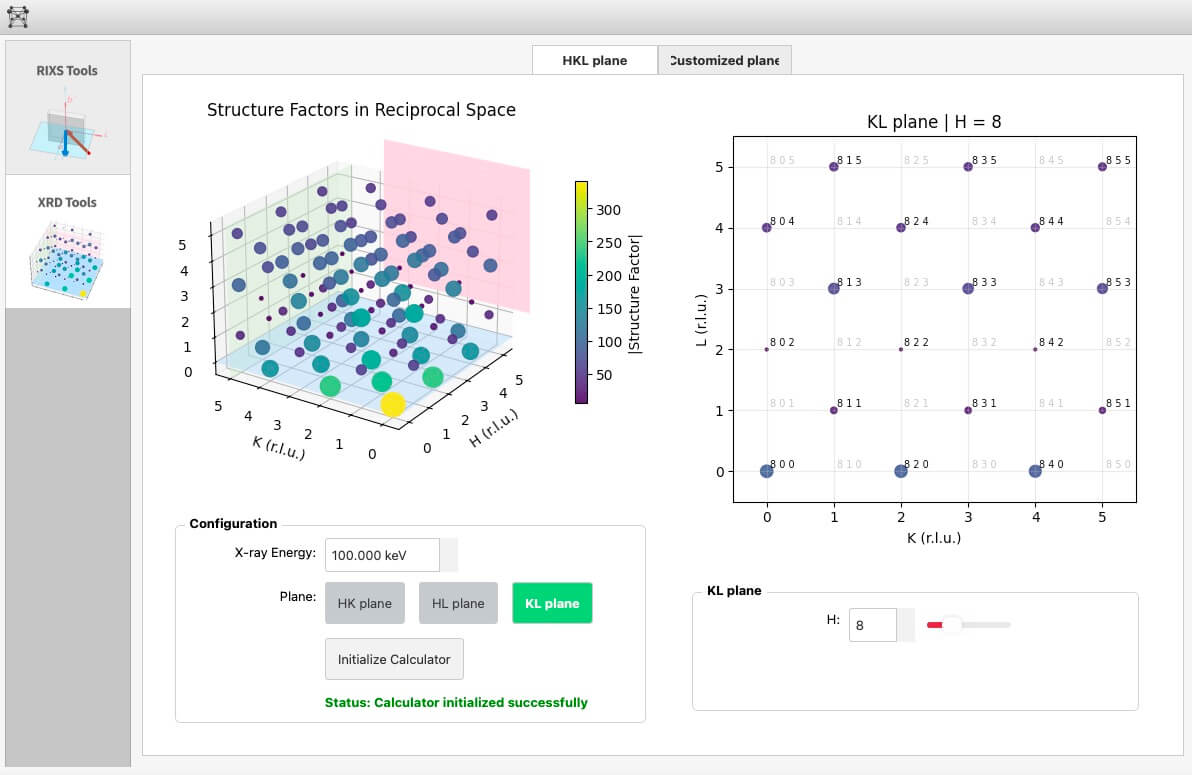
And I did manage to develop that software, and it was well functioning as it was expected to. Usually for a simple GUI this is already enough. But we are more ambitious than that and we don't want to simply stop there. We would like to add in more functionalities such as UB matrix calculation and neutron scattering calculation. This inevitably brings up a big problem for me: is my code extendable enough? Is it easy to install new features in it without touching the original code too much (backward compatibility). Sadly, the answer is a no.
To get you to understand it better, here is the folder structure I had in the original version of the codes:
legacy/
├── main.py
├── config/
│   ├── app_config.json
│   └── tab_registry.json        # registry-driven tabs
├── packages/
│   ├── __init__.py              # exports MainWindow
│   ├── gui/                     # PyQt windows/tabs/components
│   │   ├── main_window.py       # loads tabs from registry
│   │   ├── init_window.py
│   │   ├── tabs/
│   │   │   ├── brillouincalculatortab.py
│   │   │   ├── structurefactortab.py
│   │   │   └── placeholdertab.py
│   │   └── components/...       # feature widgets (mixed with PyQt)
│   ├── brillouin_calculator/    # backend + core calcs
│   ├── structure_factor_calculator/
│   ├── visualizer/              # matplotlib canvases
│   ├── helpers/                 # tips, unit converter
│   ├── classes/                 # Lab/Sample/Lattice
│   └── utils/
├── static/                      # styles.qss, icons
└── tests/                       # by module/class
At the time when I designed this codespace, I already had an intention of "frontend-backend" separation. In a word, "frontend" means what you see in the user interface, and "backend" does the calculation; separation of them means they have their own logic and do not interfere with each other. You can already see it in the folder structure.
However, the problem is that it is not feature-oriented, meaning that the top-level architecture is the backend-frontend separation and in a lower level there comes the feature. This is all good for projects that do not involve too many features, or future development only concerns further perfection on the existing feature. But for us, we are more like "feature-intensive" and we are looking to adding in more and more features in the future, like neutron scattering, and XRD tools. Therefore, a better way to structure the codespace is to have an overarching categorization based on the feature, and within each feature we implement a "backend-frontend separation" design.
Easier said than done. As the codes became larger and larger, it became even more impossible to restructure it manually. Right before I started restructuring it, there were roughly 50k lines of code scattered into ~50 files in different folders. If I were to rearrange everything on my own by hand, it would probably involve an entire week of fulltime work. It sounds quite terrible and it seems like an impossible task for me at that time, until I saw Codex by OpenAI. I came across some discussion on Codex on some random social media and it spotted the keyword "restructuring". A guy shared his experience using Codex to restructure his massive codespace and it took no time to finish the job perfectly, as any other classic stories go on the internet.
So here we go. I installed Codex in VSCode and put in the following prompt:
Prompt for Codex — "I am developing a PyQt5-based software..."
I am developing a PyQt5-based software that does calculation and visualization for X-ray scattering and diffraction experiment. Currently all codes are stored in the legacy/ folder. You can find the project description in legacy/.cursor/rules/project-logic.mdc and the project structure in legacy/.cursor/rules/project-structure.mdc. Please make sure you go through those two files and have a good grasp on the project details.
What I would like to do is as follows:
Currently the project structure is not really well organized in that the backend and frontend codes are not super well separated and they are not categorized by features. Therefore, I would like to restructure the codespace in the current root folder based on the code in the legacy/ folder.
Lately I came across a way to arrange large PyQt GUI codespace: it is the "Domain - Controller - View" separation, meaning the "Backend - Glue - Frontend" separation. Please read the essay I wrote in prefered_structure.md. This is my basic idea. You do not have to follow everything written in that file, but keep in mind that I like the "domain - controller - view" separation strategy. This is because it categorizes the codes by feature so that it is easy to extend. In the future I would like to add more tabs and features and this arrangement could be really helpful in terms of maintaining the entire codespace on my own. So, feature categorization, and "domain - controller - view" separation are the two key points you might wanna follow.
It is a bit too much for me to restructure the entire code on my own. That is why I ask you for your help. Make sure you go through all the materials I mentioned, and then make a plan on how you want to restructure the codespace.
IMPORTANT: Also, there is probably a register system where whenever you add a new feature, you need to register in some files. But please in the new restructured version, you can remove this register system. Just do what should be done in a simple way.
Ask me if you have concerns or questions before moving on. After that you can go ahead.
Codex started to think and listed all files and got straight to work after asking me a couple of questions. It took Codex around 15 mins to finish the job. It didn't work so well and there was a bit of a back-and-forth questioning and bug-fixing but at the end, it did it. In total it took us around 1.5 hours to get everything done. Now, codes are restructured, GUI is running perfectly.
Here is the new folder structure:
rixs_pre_toolbox/
├── app.py                       # bootstrap
├── controllers/
│   ├── feature_controller.py    # base glue
│   └── app_controller.py        # builds features, handles init/reset
├── domain/
│   ├── geometry.py              # shared math helpers
│   ├── unit_converter.py
│   └── core/                    # Lattice/Sample/Lab
├── features/
│   ├── rixs/
│   │   ├── domain/              # Brillouin calculator + core funcs
│   │   ├── controllers/         # RixsController
│   │   └── ui/                  # RixsTab + components
│   └── structure_factor/
│       ├── domain/              # StructureFactorCalculator
│       ├── controllers/         # StructureFactorController
│       └── ui/                  # StructureFactorTab + components
├── ui/
│   ├── main_window.py
│   ├── init_window.py
│   ├── tab_interface.py
│   ├── tips.py                  # loads tips.json
│   └── visualizers/             # shared canvases
├── resources/
│   ├── qss/styles.qss
│   ├── icons/
│   ├── config/                  # app_config.json, tips.json
│   └── data/                    # sample CIF
└── docs/
    ├── project_overview.md
    ├── feature_development.md
    └── restructure_summary.md
This is again another time I was amazed by the power of coding AI. It pretty much saved me a week of work...